Assemble and Connect OVIS
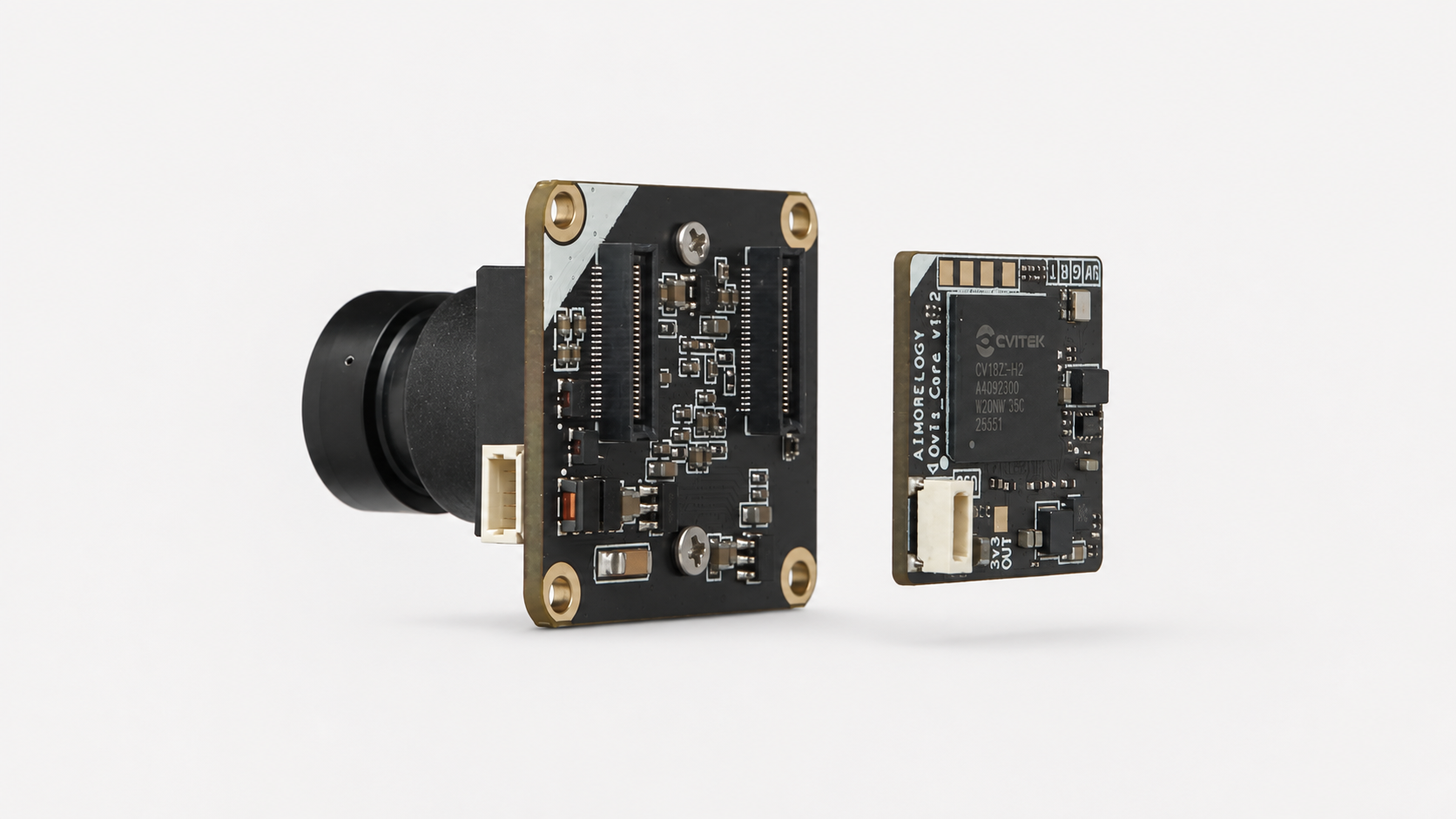
OVIS consists of a camera board and an OVIS Core board. Assemble the two boards in the correct orientation before connecting USB or UART0.
caution
Disconnect USB and UART before assembling or separating the boards.
Assemble the boards
- Locate the white orientation mark at the upper-left corner of each board.
- Hold the boards so the white corners point in the same direction, then align the board-to-board connectors.
- Keep the boards parallel and press them together evenly until the connectors are fully seated.
Identify the interfaces
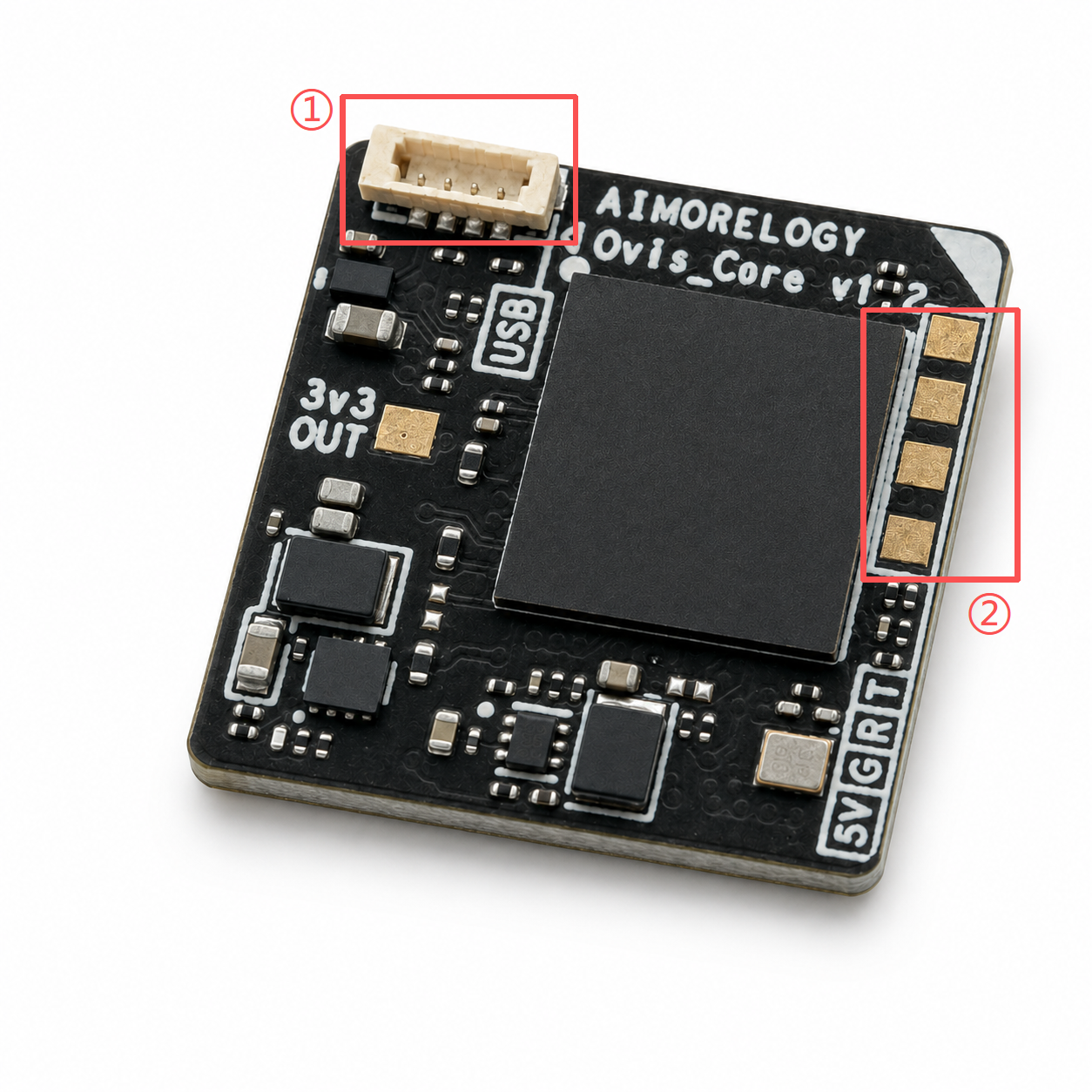
The numbered areas in the image show the interfaces used for connection and firmware flashing:
- USB interface.
- UART0 serial interface.
For firmware flashing procedures, see Flash OVIS Firmware.