5.1. Use TFTP to load firmware to DDR
5.1.1. Preparation Before Use
under tftpHost ComputerSoftware:
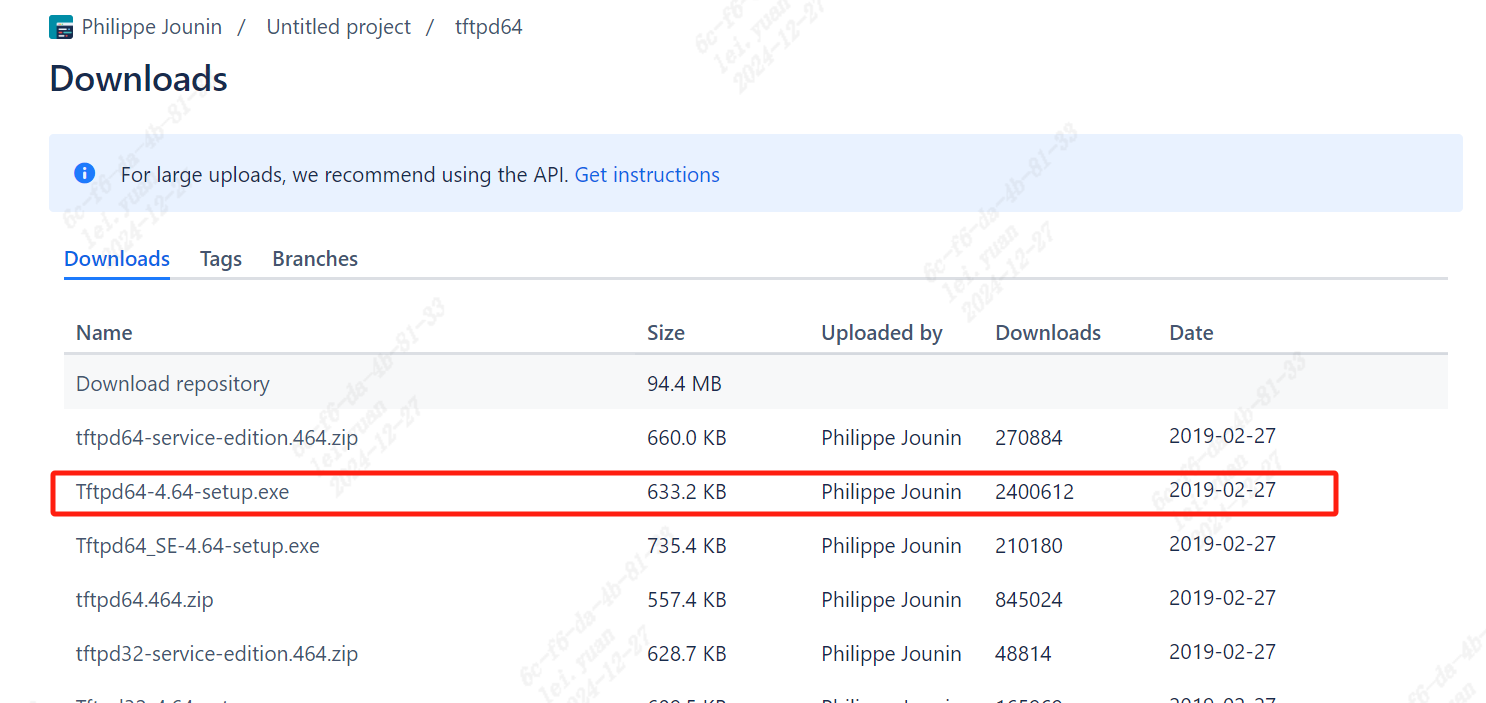
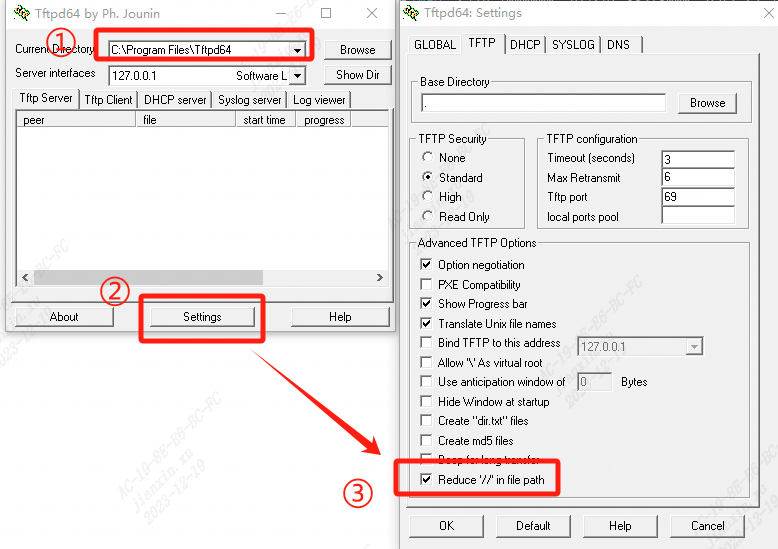
tftpd64 Tools followingConfiguration:
setting , TFTP inofReduce ‘//’ in file path。
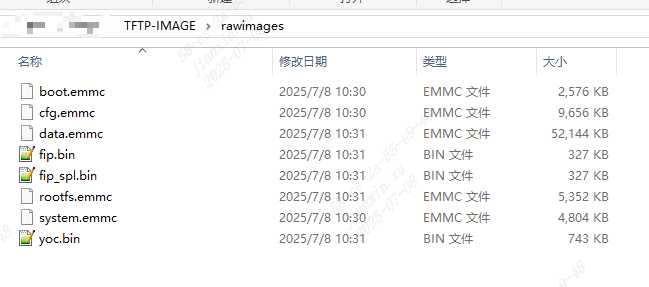
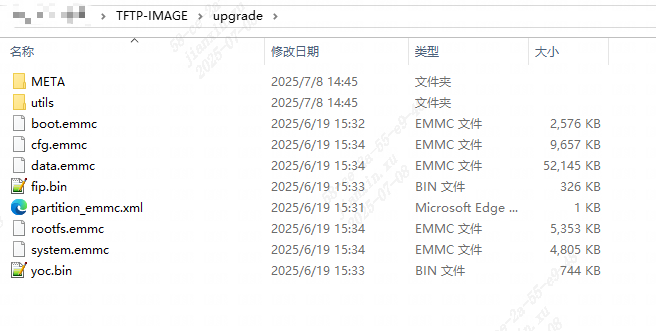
Firmware
If UseSource Code BuildofFirmware,“sdk/install/soc_ ” Pathunder isupgrade.zipof andrawimagesofFile 。as followsFigure :
5.SettingsTFTP Software
will totftpunder the directory,or UseHost ComputerSoftware“Browse” toFirmwarePath,Pathnot in and etc. 。
ClickPC serverof“Show Dir” ,Can beforePathunderofFile。
Server interfacesSettingsisLocal HostofNetworkInterface,for example192.168.137.1;
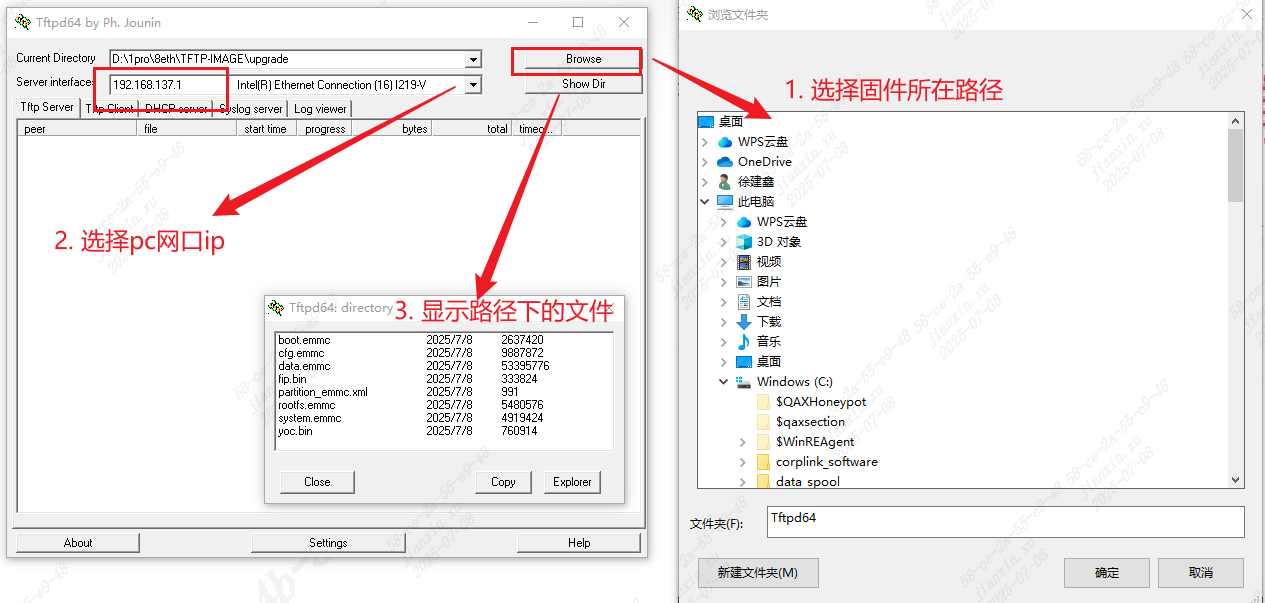
ConfigurationPCand in Network Segment
Through PC Ethernet Portand LAN
ConfigurationPC ipis192.168.137.1
Configuration ipis192.168.137.11
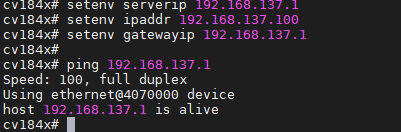
ThroughinubootCommand Lineunder followingCommands Settings ip,Executesaveenv Settings:
1     setenv ipaddr 192.168.137.11
2     setenv gatewayip 192.168.137.1
3     setenv serverip 192.168.137.1
4     ...
ipaddr IP,serverip tftp server inPCofIP,gatewayip GatewayAddress。
Tests - inubootunder ping PC ipAddress,underFigureIndicatesCan Communication
1 ping 192.168.137.1
5.1.2. TFTPLoad Firmware
fromtftp under Fileto MemoryAddress
tftpunder Firmwareof , under toDDRMemoryin,is toubootofMemory ,Canfrom0x82000000 Write。
 1     # withemmc  for exampleunder
 2     #  Load Firmwarebeforewillddr  0
 3     mw.b 0x82000000 0 0x2000000
 4     # LoadFiletoDDR,
 5     # CanLoadFileto ,andRefer tounder DDR FileWriteFlash, after Operationunder File
 6     #  CanLoadtoDDRnot ,andRefer tounder DDR FileWriteFlash,PleaseNotenot Memory
 7     tftpboot 0x82000000 fip.bin
 8     # bootetc.FileNeed toUserawimagesunderofFile
 9     tftpboot 0x82100000 yoc.bin
10     tftpboot 0x82280000 boot.emmc
11     tftpboot 0x82580000 rootfs.emmc
12     tftpboot 0x82d80000 cfg.emmc
13     tftpboot 0x83780000 system.emmc
IfUseUpgrade inofFirmware Need toDeleteFirmwareofbefore128Bytes (boot.emmcandrootfs.emmc , rootfs.emmc 128Bytes , 16M 64Bytesof )
UserawimagesFile inofFirmware not Delete