5. FAQ
5.1. Why does the tool report a version mismatch when opening a tuning data file?
When the tool opens a tuning data file, it checks the version information in the file. An example is shown below:
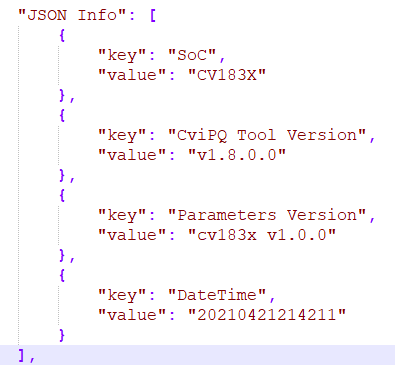
Figure 5.1 Version information in the tuning data file
If the version information in the tuning data file does not match the tool version, one of the following three messages is displayed:
If the file does not contain version information, the following message is displayed.
[Recommended action] Read the default data for the current SDK version, then open the tuning data file. This includes default values for different parameters while retaining the tuning data in the file.
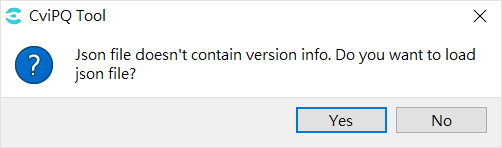
Figure 5.2 Message shown when version information is missing
If the SoC information in the file does not match the tuning tool, the following message is displayed.
[recommendprocesswaythe relevant information]verifyfileandtuningtoolthe relevant informationofSoCwhetherthe relevant information.
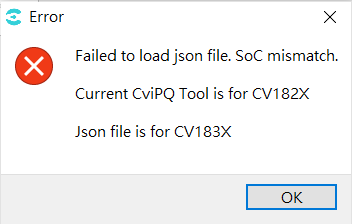
Figure 5.3 SoC mismatch message
If the parameter version information in the file does not match, the following message is displayed.
[Recommended action] Read the default data for the current SDK version, then open the tuning data file. This includes default values for different parameters while retaining the tuning data in the file.
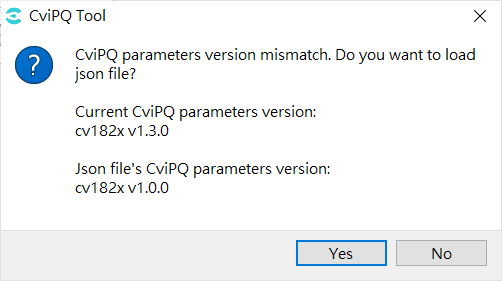
Figure 5.4 Parameter version mismatch message
5.2. Why does the tool report an SoC mismatch when connecting to a board?
When the tool connects to a board, it verifies whether the board SoC matches the tool. If they do not match, the following error is displayed and the connection is interrupted.
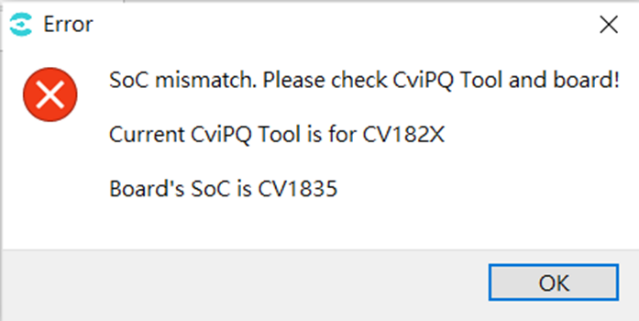
Figure 5.5 SoC mismatch message
[Recommended action] Verify that the SoC shown in the upper-left corner of the tool matches the board.
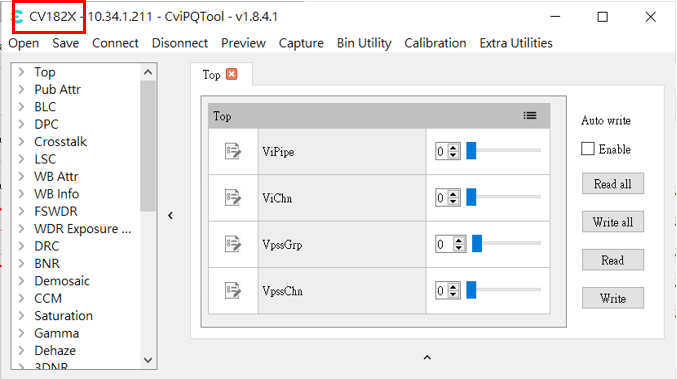
Figure 5.6 Tool SoC information